Decide once how each product is shot.
Use a ready-made recipe or build your own, then run the recipe over any list of products.
Recipe · Outerwear
Ready-madeShots
- Front on a model
- Three-quarter
- Back
- Ghost mannequin
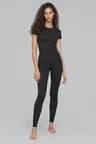
Model and backdrop
Chosen by photo · Warm wall · 3:4
4 images a product
$4.00 a product
Pipeline
SS27 outerwear · 240 products → Outerwear → Google Drive
Example recipe, made for this page.
Three steps
- 1
A recipe for each kind of product
Ready-made recipes, one for each kind of product. Each recipe lists the shots to make.
- 2
Or build your own
Choose the shots, the model and the backdrop, and see the price per product as you go.
- 3
Run the recipe as a pipeline
The pipeline takes a list of products from import to delivery; the recipe is the pipeline’s photography step. Products you add go through the same steps.
Which plans
Ready-made recipes on every plan. Your own recipes on Catalog and Distributor.
Compare plansConsistent across categories
Every product in a category gets the same shot set, on the same models.